
Small website owners can accept cryptocurrency payments in under an hour with the right setup. The process doesn’t require deep technical knowledge or a massive budget. It does require choosing the right infrastructure from the start.
Why small sites are adding crypto

Photo by [Charles J. Sharp](https://commons.wikimedia.org/wiki/File%3ASmall%20pearl-bordered%20fritillary%20%28Boloria%20selene%29.jpg) on Wikimedia Commons
Cryptocurrency payments cut out the middleman. Traditional payment processors charge 2.9% plus 30 cents per transaction. Crypto transactions can cost a fraction of that, especially on networks like Solana or Polygon.
There’s also the reach factor. According to Triple-A, over 560 million people worldwide own cryptocurrency. Accepting crypto opens a store to buyers who prefer digital assets over credit cards.
For small sites running on Shopify, WordPress, or a custom build, adding a crypto option is now a matter of connecting a few services rather than building from scratch.
Step 1: Pick your cryptocurrencies

Photo by [Traxer](https://unsplash.com/@traxer) on Unsplash
Not every coin makes sense for every business. Most small sites start with two or three options:
- Bitcoin (BTC): The most recognized name. Slower confirmations but high trust.
- Ethereum (ETH): Popular for NFT-adjacent audiences and tech-forward buyers.
- Stablecoins (USDC, USDT): Pegged to the US dollar, so there’s no price volatility between checkout and settlement.
Stablecoins solve the biggest hesitation merchants have with crypto: price swings. A $50 order stays $50 from the moment a customer clicks “pay” to when it lands in the business account.
Step 2: Set up a crypto business account

Photo by [DrawKit Illustrations](https://unsplash.com/@drawkit) on Unsplash
A dedicated business account separates personal holdings from company revenue. This matters for bookkeeping, tax reporting, and audit trails.
Services like Reap’s crypto business account let businesses receive crypto payments and settle into fiat currency automatically. The account acts as the infrastructure layer between the customer’s wallet and the merchant’s bank.
Here’s what a solid crypto business account handles:
- Multi-chain deposits (customers pay on whichever network they prefer)
- Automatic conversion to fiat or stablecoin
- Transaction records formatted for accounting software
- Compliance documentation for tax season
Without this layer, merchants end up juggling personal wallets, manual conversions, and spreadsheets. That works for a hobby project. It doesn’t scale.
Step 3: Connect a payment gateway

Photo by [Blake Wisz](https://unsplash.com/@blakewisz) on Unsplash
The gateway is the checkout widget customers interact with. Several options work well for small sites:
BTCPay Server is open source and self-hosted. It’s free but requires a server and some technical comfort. Best for developers running their own infrastructure.
Coinbase Commerce offers a hosted checkout with a simple embed code. It supports major coins and handles invoicing. The tradeoff is higher fees than self-hosted options.
NOWPayments supports 150-plus cryptocurrencies and has plugins for WooCommerce, Shopify, and Wix. Good for sites that want broad coin coverage without custom development.
Each gateway connects to the business account from Step 2. The gateway collects payment; the account holds and manages the funds.
Step 4: Add the checkout to your site
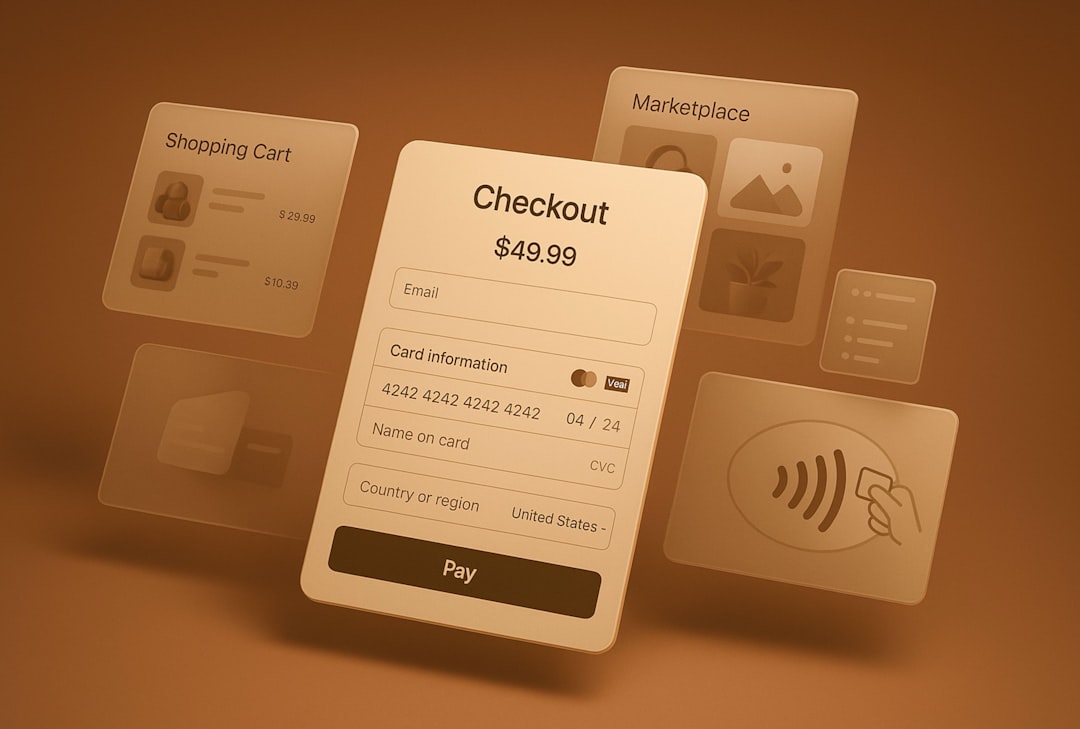
Photo by [Ze Vieira](https://unsplash.com/@zfvl) on Unsplash
Most gateways provide one of three integration methods:
Plugin: Install a WooCommerce or Shopify plugin, enter API keys, and the checkout appears automatically.
Embed code: Paste a JavaScript snippet into your checkout page. The gateway renders a payment widget.
API: Build a custom integration using the gateway’s REST API. Most flexible but requires development time.
For a small site, the plugin or embed route takes 15 to 30 minutes. The API route is worth it only if the standard checkout flow doesn’t fit the site’s design.
After integration, run a test transaction. Send a small amount of crypto through the full flow: customer wallet, gateway, business account, bank settlement. Confirm each step before going live.
Step 5: Handle the tax and legal side

Photo by [Markus Winkler](https://unsplash.com/@markuswinkler) on Unsplash
Crypto payments are taxable in most jurisdictions. In the US, the IRS treats cryptocurrency as property. Every sale at a different price than the original acquisition creates a gain or loss event.
This is another reason a proper business account matters. Services like Reap generate transaction reports that plug directly into accounting tools. Without them, merchants spend hours reconciling wallet addresses with order numbers.
A few compliance basics:
- Register with local tax authorities if required for crypto commerce
- Keep records of the fiat value at the time of each transaction
- Issue receipts that show the crypto amount and the equivalent fiat value
- Consult a tax professional familiar with digital assets
Step 6: Display crypto as a payment option

Photo by [Pierre Borthiry – Peiobty](https://unsplash.com/@peiobty) on Unsplash
Customers won’t pay with crypto if they don’t know it’s accepted. Add the crypto payment option alongside credit card and PayPal on the checkout page. Use clear logos for each accepted coin.
Some merchants add a small banner on the homepage: “We accept Bitcoin, Ethereum, and USDC.” This signals legitimacy to crypto-native buyers and can drive traffic from crypto community directories.
What to watch out for

Photo by [Franck V.](https://unsplash.com/@possessedphotography) on Unsplash
A few common mistakes slow down small sites adding crypto:
- Skipping stablecoins: Volatile coins create refund headaches. Always include at least one stablecoin option.
- No mobile optimization: Many crypto users pay from mobile wallets. Test the checkout flow on a phone.
- Ignoring confirmation times: Bitcoin can take 10 minutes or more to confirm. Show customers a clear status page so they don’t panic.
The bottom line

Photo by [Markus Spiske](https://unsplash.com/@markusspiske) on Unsplash
Adding crypto payments to a small website is a weekend project, not a quarter-long initiative. Pick two or three coins, set up a business account with a provider like Reap, connect a gateway, and test the full flow. The infrastructure is mature enough that the hard parts are already solved.
The sites that move now will have a head start as crypto adoption keeps growing.